
01
Build your brief
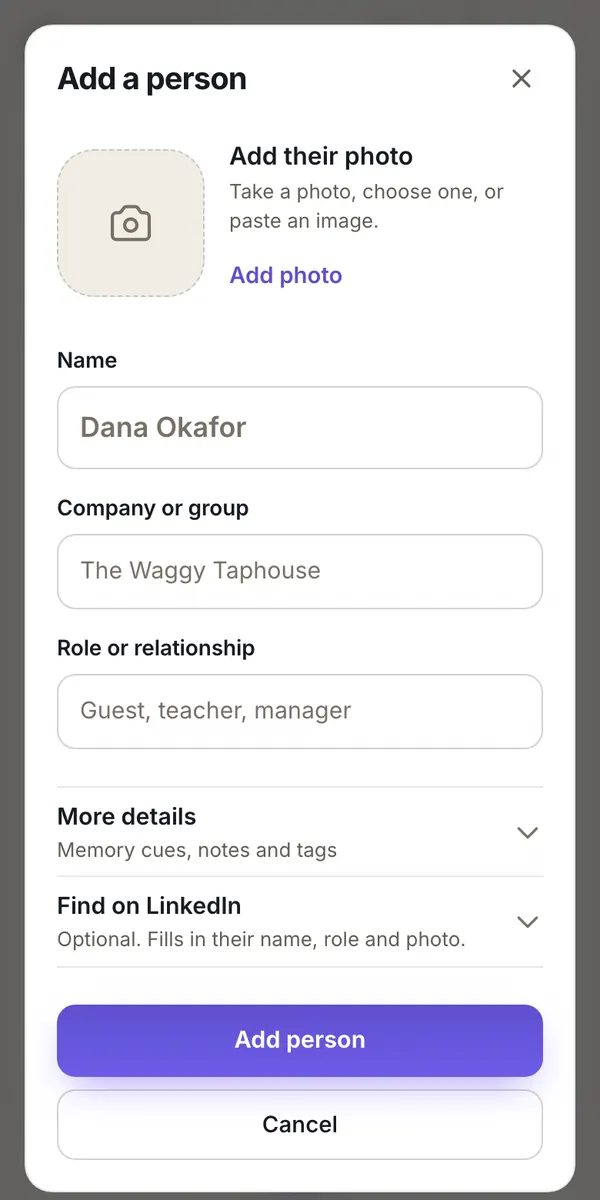
Name the group, then add each person with a photo, a name, and a role. Or send an add-yourself link and let them do it.
Turn any group of people into quick flashcards, and greet guests, students, teammates, and clients by name from the first hello.
3 people remaining
Say the name, then reveal the answer.
Tap the face or press Enter to reveal
How it works
01
Name the group, then add each person with a photo, a name, and a role. Or send an add-yourself link and let them do it.
02
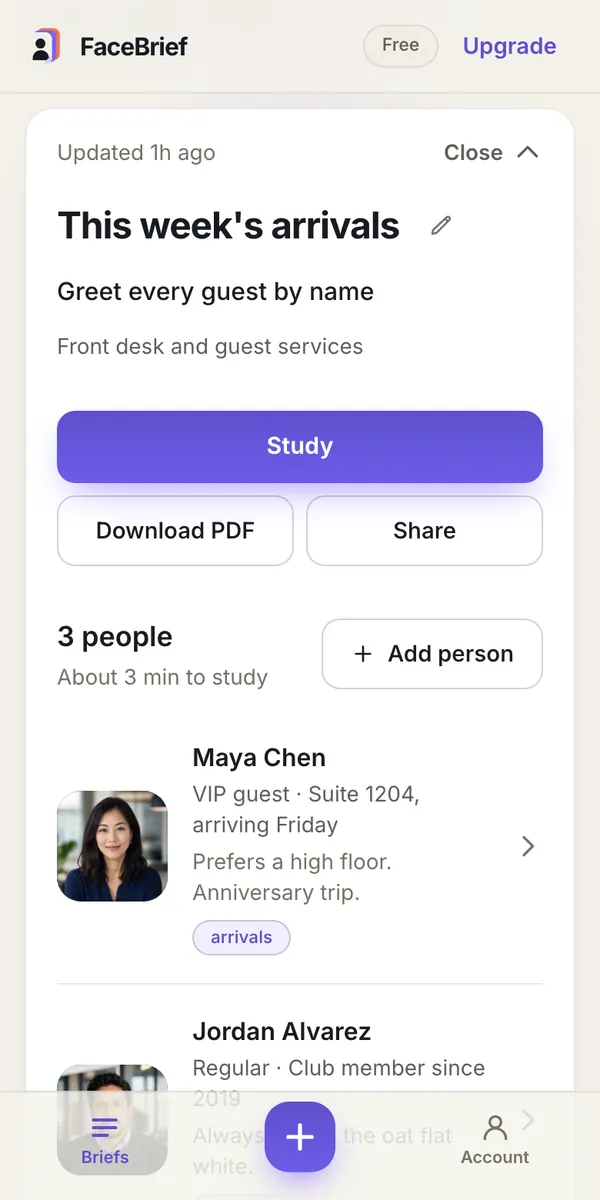
Save the detail that makes a name click: the suite number, the instrument, the usual coffee order.
03
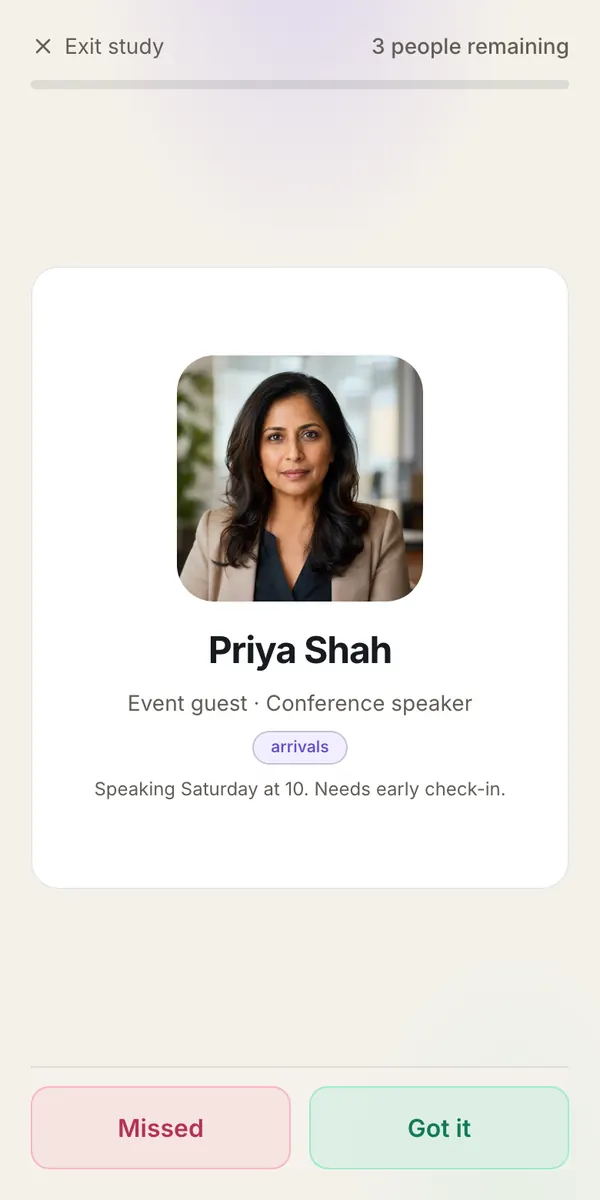
Flip through face to name, or name to face. Missed faces come back until you know everyone.
Made for anyone who works with people
Pick the room that sounds like yours and see what a brief looks like.
Greet arrivals, members, and regulars by name before they reach the desk.
Example brief
This week's arrivals
Front desk, Friday to Sunday

Maya Chen
VIP guest · Suite 1204
Cue: Prefers a high floor. Anniversary trip.

Jordan Alvarez
Regular · Member since 2019
Cue: Always orders the oat flat white.

Priya Shah
Conference speaker
Cue: Speaking Saturday at 10. Needs early check-in.
Built around recognition
Faces you miss come back sooner. Faces you know step aside. Practice face to name or name to face until the whole room is familiar.
Got it
Comes back
Up next
Scan to add yourself
Send a link or show a code. Guests and staff add their own photo and name, and never see the rest of your brief.
Download any brief as a clean printable sheet: faces, names, and memory cues for the walk in.
Share a brief by email. Your teammate gets a one-tap link, their own study progress, and read-only access you can revoke.
No face recognition, ever. Your briefs and photos are visible only to you and the people you share with, and are never sold.
Adding a colleague or client? Look them up on LinkedIn and FaceBrief fills in the name, role, and photo. Skip it whenever you like.
Connect Claude or any MCP client with an API key and it can build briefs and add people for you.
How to connect an assistantSimple pricing
Free for your first brief. Pro when you have more rooms to know.
Free
$0
One brief with up to five people.
No card required. Start with one private brief.
Pro
UnlimitedUnlimited briefs and unlimited people.
Stripe collects your email securely. Create or sign in after payment.
Yes. Briefs, notes, and photos are visible only to you and the people you choose to share a brief with. Nothing is public, sold, or used for ads.
No. FaceBrief never scans or identifies anyone. You add each person yourself, and the app helps you remember them.
From you. Take a photo, upload one, or paste a link to a public profile. You can replace or remove a photo at any time.
No. Adding someone to a brief sends them nothing. The only people who hear from FaceBrief are the teammates you choose to share a brief with.
Yes. FaceBrief runs in any browser on a phone, tablet, or computer, and your briefs stay in sync when you sign in.
You keep everything you saved. The free plan stays active, and people beyond the free limit unlock again whenever Pro returns.
Your first brief is free and takes about two minutes to build.